


Ready to trade on MEXC directly via TradingView? Follow our 2026 official guide to link your accounts in 4 easy steps. Enjoy 0% Maker fees on 3,500+ pairs with full security backed by monthly PoR audits. Streamline your workflow today!
Overview
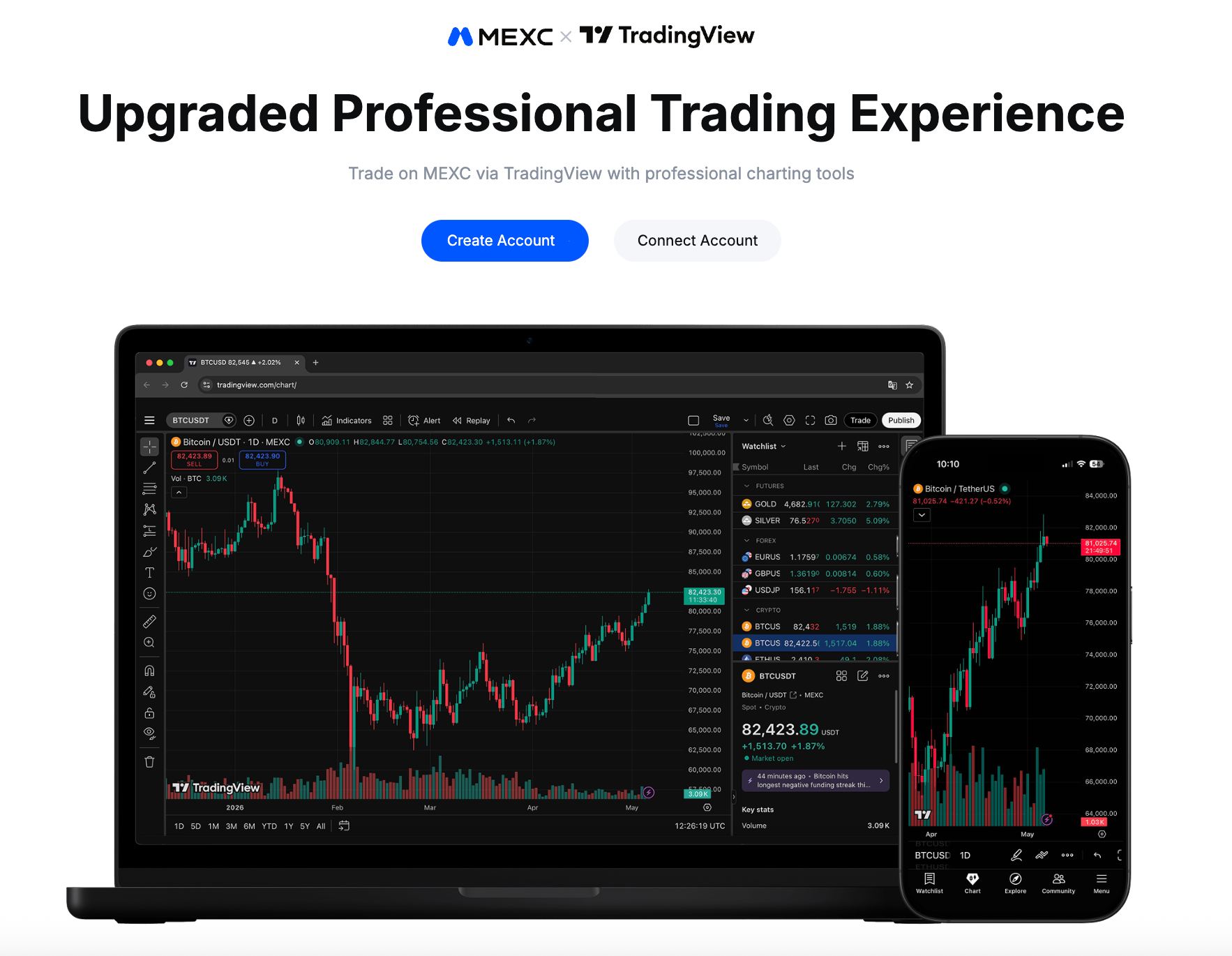
For crypto traders who spend time switching between a charting platform and an exchange, this partnership removes a friction point that most people quietly accept as the norm. MEXC and TradingView have entered a strategic partnership: users can select MEXC as their broker directly within TradingView’s trading panel, complete the account authorization, and from that point on — view market data, analyze charts, and place orders, all without leaving TradingView.
TradingView has grown into one of the most widely used financial analysis platforms in the world, with over 100 million traders using the platform and monthly visits exceeding 200 million. Bringing MEXC’s trading infrastructure into that environment means users no longer have to choose between best-in-class charting and a competitive exchange — they can have both at once.
Key Takeaways
- MEXC and TradingView have formed a strategic partnership; users select MEXC as a broker in TradingView’s trading panel, authorize the connection, and can then trade spot and futures directly from the chart
- TradingView serves over 100 million active traders globally, making it the dominant platform for technical analysis
- The partnership allows traders to monitor markets, run technical analysis, backtest strategies, and place orders within a single workflow
- MEXC offers 3,500+ trading pairs, 0% Maker spot trading fees, and a 100% Proof of Reserves backed by independent monthly audits
- Setup takes four steps; deposits and withdrawals remain handled on the MEXC platform directly
1. Why the MEXC × TradingView Partnership Matters
Every time a trader finishes reading a chart and switches to a separate window to place a trade, there is a gap. Price can move during that gap. Conviction can shift. This partnership between TradingView and MEXC is built to close that gap.
TradingView was founded in 2011 and has since become the go-to charting environment for retail traders, swing traders, and increasingly, professional desks. Its combination of clean interface design, a large indicator library, a built-in Pine Script scripting environment, and an active community of shared ideas has made it effectively the standard tool for technical analysis across asset classes.
Through this partnership, users can select MEXC as their broker directly within TradingView, authorize the account connection, and immediately access MEXC’s liquidity and listings from within the same interface where they do their analysis. The result is a workflow where the gap between “deciding to trade” and “executing a trade” is reduced to a single action.
2. Key Features of Integration
2.1 Professional Charting Tools
TradingView supports multi-timeframe charts alongside a comprehensive set of drawing tools — trendlines, Fibonacci retracements, pattern annotations, and more. These are fully available to users who connect their MEXC accounts, with live market data from MEXC feeding the charts directly.
2.2 A Wide Range of Technical Indicators
The platform includes hundreds of built-in indicators, from the widely used — RSI, MACD, Bollinger Bands, VWAP — to more specialized tools contributed by the TradingView community. Traders can also write and publish custom indicators using Pine Script, allowing for a fully personalized analytical setup.
2.3 Strategy Testing Tools
TradingView includes built-in backtesting functionality, letting traders validate their strategy logic against historical data before risking real capital. For those who want to practice without any financial exposure, the platform also offers a paper trading mode — a simulated environment where orders do not affect real positions. Note that paper trading does not fully replicate the execution speed of a live connected account.
2.4 An All-in-One Trading Experience
Once connected, the TradingView trading panel displays your MEXC account balance, supports order entry, and reflects order status directly on the chart. The analysis environment and the execution environment become the same thing. Note that deposits and withdrawals continue to be managed on the MEXC platform — TradingView handles order placement only.
3. MEXC’s Trading Advantages
The integration delivers MEXC’s platform strengths alongside TradingView’s analytical tools. According to MEXC’s 2026 fee comparison, the exchange operates a 0% Maker fee structure for spot trading, which is uncommon in the industry and particularly meaningful for active traders who generate volume on limit orders.
MEXC currently supports over 3,500 trading pairs, covering major assets, DeFi tokens, GameFi projects, and early-stage listings. According to TokenInsight data cited by MEXC, MEXC ranked second globally by spot market share in Q1 2026, with a 5.35-percentage-point quarter-over-quarter increase.
On the security side, MEXC’s April 2026 Proof of Reserves report shows BTC reserve ratios at 295%, ETH at 116%, and USDT at 111%. Each monthly snapshot is independently audited by Hacken, a blockchain security firm, and users can verify their own balances using Merkle Tree proofs without exposing account details.
Create Your MEXC Account and Claim Up to 10,000 USDT in Welcome Rewards
4. How to Get Started
The setup takes four steps and is straightforward for anyone familiar with TradingView’s interface:
👉 Log in to your MEXC account and prepare for the connection
👉 Log in to your TradingView account and open the trading panel
👉 Select “MEXC” from the broker list and complete the login authorization to connect both accounts
👉 Once connected, you can view market data, analyze charts, and place trades directly on TradingView
For the full setup guide, feature documentation, and any active promotions tied to the integration, visit the MEXC × TradingView page.
5. MEXC Research Team Perspective
From a platform strategy standpoint, the MEXC × TradingView integration reflects a broader shift in how traders evaluate exchanges. Execution quality alone is no longer the deciding factor — workflow efficiency, analytical depth, and infrastructure transparency are increasingly part of the calculus.
The MEXC Research Team sees particular value in the friction reduction this integration provides. In volatile markets, the time between analysis and execution is not neutral. A position entered two seconds too late on a fast-moving pair can mean the difference between a well-executed trade and one built on a stale read. Shortening that window is a structural improvement, not just a convenience feature.
TradingView’s built-in strategy backtesting and paper trading mode add a dimension that is often undervalued: traders can refine their logic in a risk-free environment before committing real capital, then switch to a live MEXC account when the strategy is ready. That workflow — test, validate, execute — maps well to a disciplined approach to crypto trading.
Looking further, the team notes that the practical ceiling of this integration extends into automation. Following MEXC’s official launch of API Futures trading on March 31, 2026, technically inclined users can now route TradingView strategy alerts via webhook directly to MEXC’s execution layer — effectively creating a fully automated pipeline from Pine Script signal to live order. For traders using MEXC as their primary exchange, connecting to TradingView is a low-friction upgrade to an existing workflow worth making.
FAQ
Q1: Is there a fee to connect a MEXC account to TradingView?
Connecting MEXC to TradingView does not incur any additional charges. TradingView offers a free tier with optional paid plans that unlock additional features. The fees that apply when placing orders through TradingView are the standard MEXC broker rates — no connection fee is added.
Q2: Can I deposit or withdraw funds through TradingView?
No. All deposits and withdrawals remain managed on the MEXC platform. TradingView handles order placement and account balance display only.
Q3: Can I trade futures through integration?
Yes. MEXC supports futures trading within TradingView. Users will need to complete any required verification steps on their MEXC account before accessing derivatives.
Q4: Can I practice trading without using real funds?
Yes. TradingView offers a paper trading mode that simulates order placement without real capital. This is useful for learning the interface or testing a strategy. Keep in mind that paper trading does not fully replicate the execution speed of a live connected broker account.
Q5: Where can I find tutorials and guides for TradingView?
The TradingView Help Center covers most platform features and charting tools. You can also submit questions via the support ticket system. The TradingView YouTube channel provides a large library of video tutorials covering both beginner and advanced topics.
Q6: How is account security handled when connecting MEXC to TradingView?
The connection is established through API authorization. You do not enter your MEXC account password in TradingView. It is advisable to create an API key with only the necessary permissions enabled and to review active API keys regularly. MEXC’s reserve structure — verified monthly by Hacken — provides an additional layer of asset transparency.
Q7: What assets can I trade on MEXC through TradingView?
MEXC supports over 3,500 trading pairs across spot and futures markets, including major assets like BTC and ETH as well as a broad range of altcoins, DeFi tokens, and emerging project listings.
Disclaimer
This article is provided for informational purposes only and does not constitute investment advice, financial guidance, or a recommendation to buy or sell any asset. Cryptocurrency markets are highly volatile, and past performance does not indicate future results. Readers should conduct their own independent research and consider their personal risk tolerance before making any trading decisions. Platform features and data referenced in this article are subject to change; please refer to official sources for the most current information.
Sources
- MEXC × TradingView Official Page — MEXC
- TradingView Company Overview — LeadIQ
- MEXC Publishes April 2026 Proof of Reserves, BTC Reserve Ratio Rises to 295% — Chainwire
- MEXC April 2026 Proof of Reserves — PR Newswire
- 2026 Crypto Exchange Fee Comparison: How MEXC Achieves Industry-Lowest Trading Costs — MEXC Crypto Pulse
- How to Automate TradingView Strategies to MEXC Futures in 2026 — MEXC News
- MEXC Review 2026: Fees, Listings, Proof Of Reserves, And Key Risks — Crypto Adventure
- What is TradingView? Features, Pros, & Cons Reviewed in 2026 — Traders United
Want the fastest access to MEXC’s latest updates? Join our official Telegram group now!
MEXC Platform: Download App | Zero Fee Trading | Buy USDT Now
Join MEXC Community: X (Twitter) | Telegram | Discord
Get Insights: MEXC Learn | Terms of Service | MEXC Blog | MEXC News
Account Verification: Understand KYC | How to Complete KYC
External Content Platforms: Substack | Medium | Paragraph | LinkedIn | X(News)